
For parks and recreation departments
Score your parks and rec flag football league in StatHawk, free.
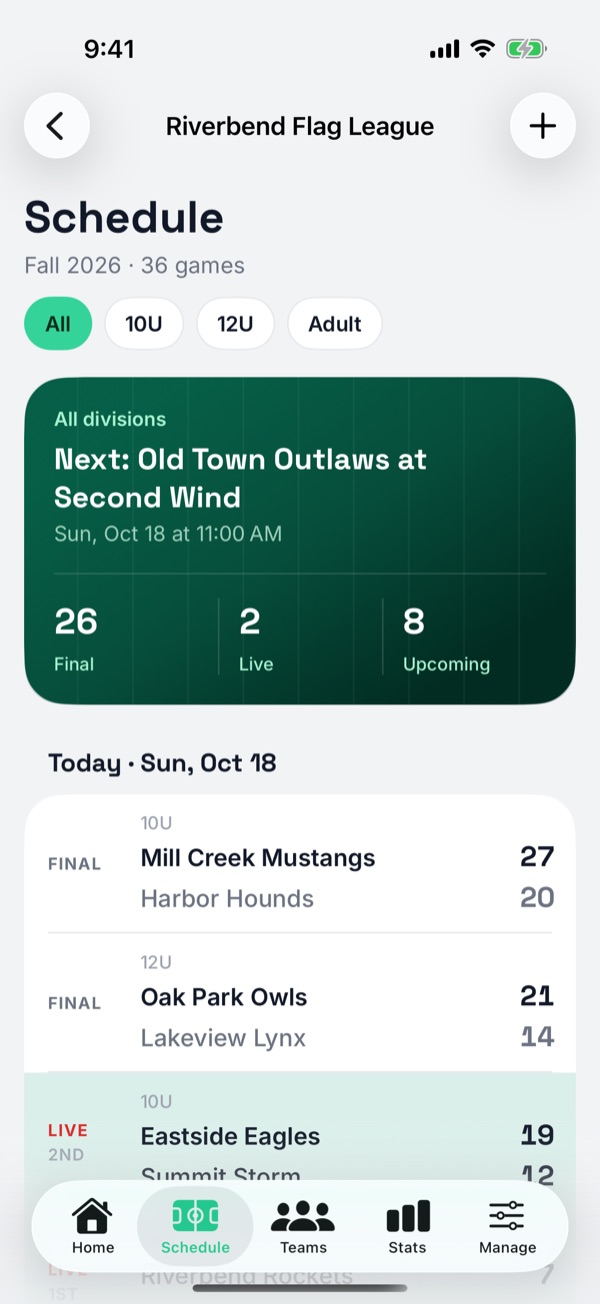
City recreation departments run a huge share of youth flag football, and most still keep score on paper and post standings as a table or a PDF. StatHawk lets your staff or volunteers score every game play by play, with standings and stats for both teams, at no cost to the department.
- 58%
- of park and recreation agencies list football, including flag, among their five most popular youth sports (NRPA survey, 2020)
- 5v5 to 7v7
- City rulebooks differ on players, try spots and mercy rules
- Under 8
- The age where many departments keep no score at all
- $0
- StatHawk's cost to score every game in your league
How rec departments keep score today
Most departments decide by age. The youngest divisions often keep no score at all, standings usually start around 8U or 9U, and adult leagues always keep them. Here's what a few departments publish.
| Department | What it publishes |
|---|---|
| Fargo Park District, ND (K to 6th grade) | No score is kept in any game. |
| Riverton, UT (grades 1 to 4, NFL FLAG partner) | No scores or standings are kept. |
| Fuquay-Varina, NC | No standings at 6U. Standings and a postseason tournament from 8U to 16U. |
| Apex, NC | No end-of-season tournament for instructional 8U. From age 9, the tournament is seeded by regular-season standings. |
| Leesburg, VA (NFL FLAG league) | Posts standings from the 6 to 7 division up, with ties broken by head-to-head, then points against. |
| Adult leagues (Culpeper County, VA; Spanish Fork, UT; Colorado Springs, CO) | Standings kept and posted every season. |
Every city plays its own version
Rec rulebooks start from NFL FLAG, NFHS or USA Flag rules and then change them. A scorer needs to know your version, especially the try spots and the mercy rule.
| Department | Players | Tries | Mercy rule |
|---|---|---|---|
| Ridgecrest, CA (NFL FLAG rules) | 5v5 | 1 from the 5, 2 from the 10 | Game ends at a 35-point lead |
| Wellington, CO | 5v5 | 1 from the 5 (pass only), 2 from the 12 | Score stops being kept at 28 |
| Fuquay-Varina, NC | 6v6 or 7v7 by age | 1 from the 3, 2 from the 5 | See the handbook |
| Tallahassee, FL | 7v7 | 1 from the 2, 2 from the 5 | See the handbook |
| Rogers, AR | 7v7 | 1 from the 3, 2 from the 5 | A team down 20 or more with 2 minutes left loses |
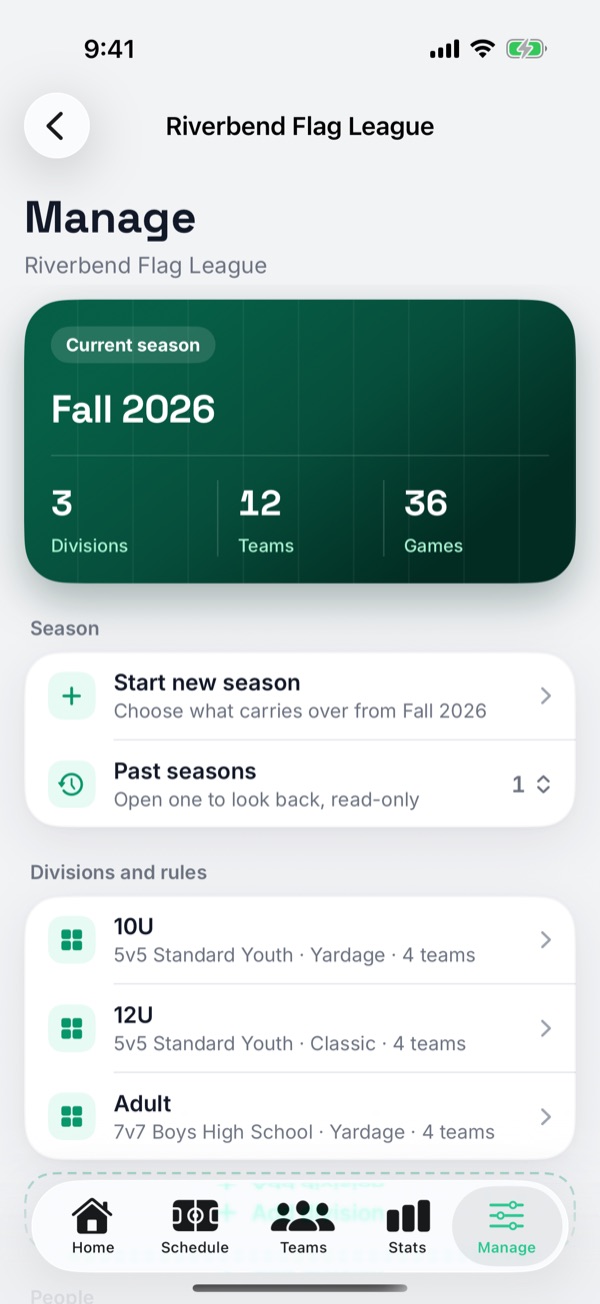
In StatHawk, each division can match your rulebook. Start from the closest format (5v5 Standard, 5v5 Air-It-Out, 6v6, or 7v7 for girls or boys), then set the players per side, the downs and the try spots under the division's rules.
What your department already uses, and what StatHawk adds
Registration suites such as RecDesk, CivicRec and ActiveNet handle sign-ups, payments and scheduling. Tools like QuickScores, TeamSideline and LeagueLab post scores and standings. None of them record a game play by play, so nobody gets player stats or box scores.
Keep your registration system. StatHawk handles game day: scoring, standings, stats for both teams and a place for families to follow along.
Set up your rec league in StatHawk
- 1Create the league in the StatHawk app and add a division for each age group, each with its own format and rules.
- 2Add teams and rosters, then the schedule: date, time, division and the two teams for each game.
- 3Invite your scorers by email: staff, volunteer parents or coaches from teams that aren't playing. Any scorer can score any game, so each field can have its own.
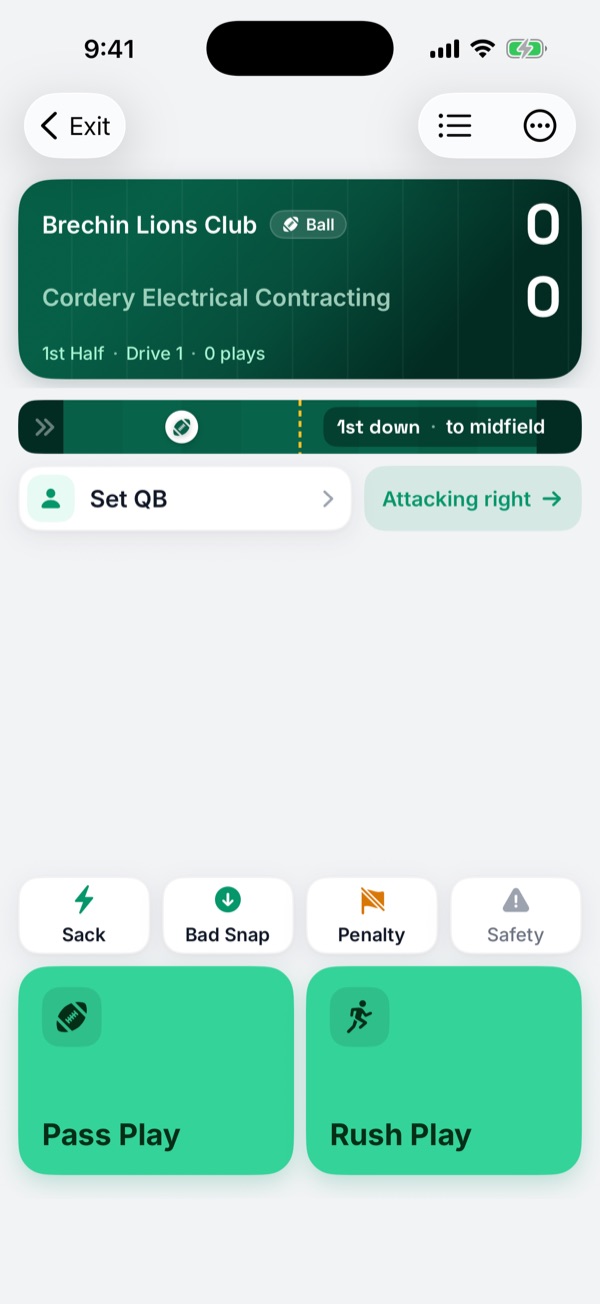
- 4On game day, scorers open the game from the schedule and score it play by play with both rosters. Standings update when the game ends.
- 5Share your League Code with families so they can follow the schedule, live games, scores and standings.
For divisions that don't keep score
If your department keeps no score for the youngest ages, you can start using StatHawk at the age where you begin keeping score, or use it for those divisions' schedule and for families following along. Either way, older divisions and adult leagues get standings and stats from the first game.
Standings families can check themselves
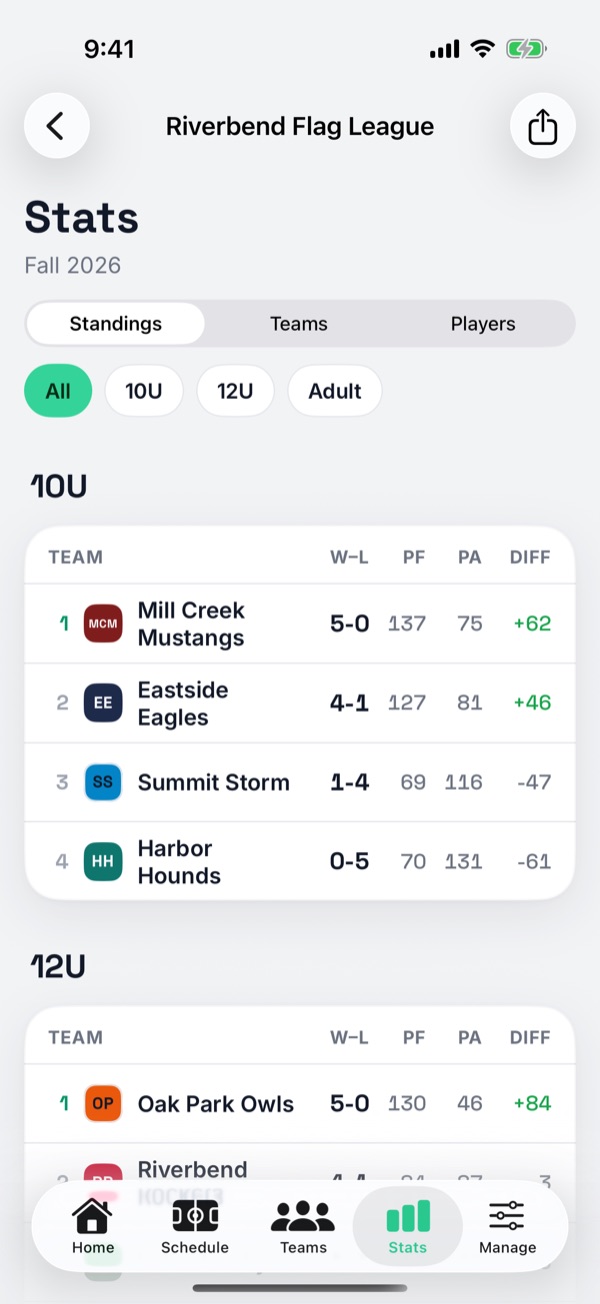
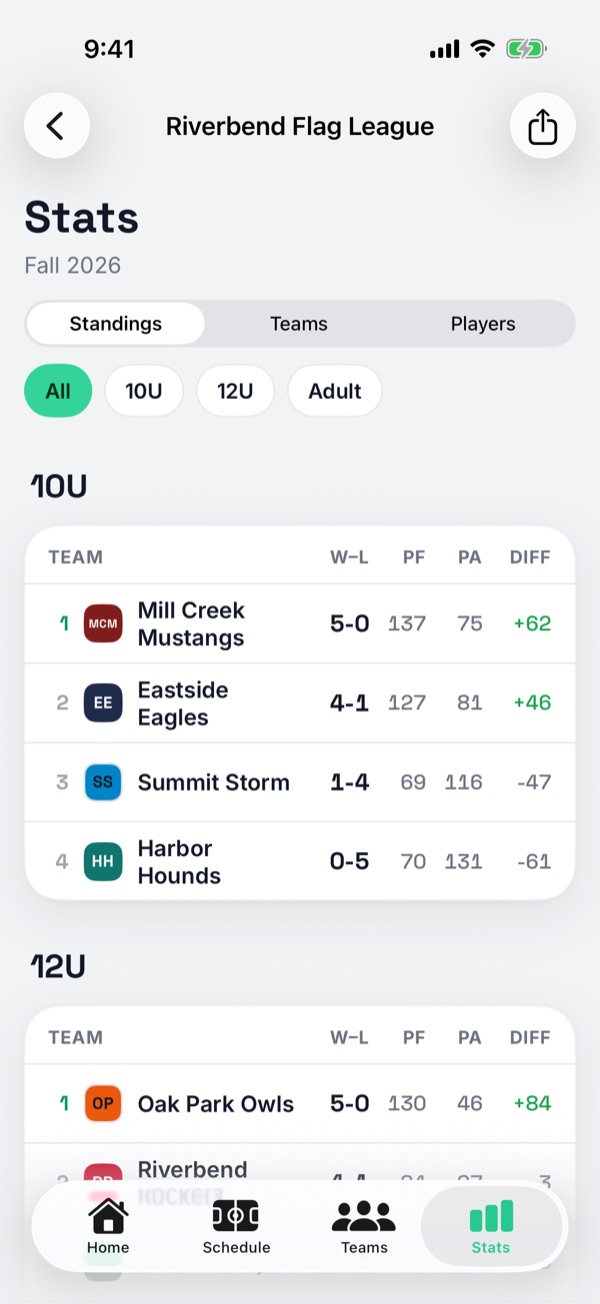
Each division's standings show wins, losses, ties, points for, points against and point differential, and update when a game ends. Families see them in the app with your League Code, so your staff answers fewer calls about where a team stands. Player names show as first name and last initial by default.
Common questions
Does StatHawk cost the department anything?
No. Setting up the league, scoring every game, standings, exports and the family view are free. League Pro is an optional upgrade that adds Insights for your staff.
Who can score games?
Anyone you invite as a Scorer or Admin, on their own iPhone or iPad. Staff, volunteer parents and coaches from teams that aren't playing all work. Any scorer can score any game in the league.
Can each age group use different rules?
Yes. Every division has its own format and rules, including players per side, downs and where each try is spotted.
Can we keep RecDesk, CivicRec or ActiveNet?
Yes. StatHawk doesn't do registration or payments. Keep your registration system and use StatHawk for game day, standings and stats.
Our league plays NFL FLAG rules. Does that work?
Yes. Start from 5v5 Standard, which matches NFL FLAG's downs, and set the 2-point try to the 10.
Does it work for adult leagues too?
Yes. Add an adult division with its own format, and players get season stats and league leaders.
Sources
Checked October 2026.
- NRPA, Youth Sports at Park and Recreation Agencies
- Fargo Park District youth flag football
- Riverton, UT youth football
- Fuquay-Varina, NC Boys Flag Football Handbook
- Apex, NC Youth Flag Football Handbook
- Leesburg, VA NFL FLAG standings
- Ridgecrest, CA flag football rules
- Wellington, CO flag football manual
- Tallahassee, FL youth flag football rules
- Rogers, AR flag football rules
StatHawk is not affiliated with or endorsed by NRPA, NFL FLAG or any department named on this page.